Description
Interface:
DTI (API),
FIX, PrecISE
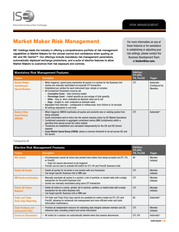
Elective Risk Management Features
Feature
Description
Execution-Based
Order Entry Limits
• Maximum Quantity per Order: Prevents orders that exceed a pre-defined maximum quantity
per order from being accepted by the Exchange
• Maximum Quantity per Day: Prevents orders that exceed a pre-defined total quantity per
trading day from being accepted by the Exchange
• Maximum Notional Value per Order: Prevents orders that exceed a pre-defined maximum
option notional value per order from being accepted by the Exchange. Market orders will be
rejected for FIX connections with maximum notional value defined.
• Maximum Notional Value per Day: Prevents orders that exceed a pre-defined total option
notional value per trading day from being accepted by the Exchange. Market orders will be
rejected for FIX connections with maximum notional value defined.
• Restricted Securities (PrecISE): Prevents orders that are a part of a specified restricted list
of securities
• Reject Pre-Open Orders (PrecISE): Prevents orders that are entered before the open of the
market
• Locate Code Required (PrecISE): Requires a locate code value for orders with a short-sale
stock component prior to submission to the Exchange
• All settings adjustable in real-time
FIX
PrecISE
Automatic
(Configured by
Member or ISE)
Do Not Trade Through
(DNTT)
• Non-crossing multi-leg orders designated as DNTT will not trade through the NBBO on any
leg of the order, including stock
All
Automatic
(Configured by
Member or ISE)
Risk Administrator
PrecISE Terminal
• Designated PrecISE User with real-time access to risk management settings and controls
PrecISE
N/A
Supervisor PrecISE
Terminal
• Designated PrecISE User able to view and manage all PrecISE, FIX and DTI entered orders
and trades
All
N/A
PrecISE
Automatic
PrecISE GUI
Pop-Up Warnings
A
PrecISE requires trader confirmation
prior to order submission.
PrecISE users can set a ‘soft warning’ for maximum
quantity. This does not prevent order submission.
C
Trigger
B
PrecISE users receive an additional warning when
the order is above/below the ISE bid/offer.
PrecISE
User Report
• Posted to the member FTP site, includes user account information for audit records.
The report includes access type, maximum quantity per order and per day, maximum notional value per order and per day, restricted product lists and the Risk Admin who edited the settings. PrecISE Member Initiated Compliance Acknowledgement Message • Forces users to acknowledge compliance with internal risk policies and procedures prior to application startup PrecISE Automatic* Daily Products and Instruments Files • Provides an independent resource for checking data integrity between member reference data and ISE reference data DTI Member Initiated Coming Soon: Underlying Price Contingency (UPC) for Complex Orders • Complex orders entered with underlying price contingencies will only execute if the underlying instrument is trading within the specified price range All Automatic (Configured by Member) *Configured by ISE. ISE Business Development EMAIL: bizdev@ise.com PHONE: 212-897-8171 The ISE globe logo, International Securities Exchange®, ISE®, and ISE GeminiTM are trademarks of the International Securities Exchange, LLC. All other trademarks and service marks are the property of their respective owners. Copyright ©2014 International Securities Exchange, LLC.
All rights reserved. [RM-ISE 0415] .
The report includes access type, maximum quantity per order and per day, maximum notional value per order and per day, restricted product lists and the Risk Admin who edited the settings. PrecISE Member Initiated Compliance Acknowledgement Message • Forces users to acknowledge compliance with internal risk policies and procedures prior to application startup PrecISE Automatic* Daily Products and Instruments Files • Provides an independent resource for checking data integrity between member reference data and ISE reference data DTI Member Initiated Coming Soon: Underlying Price Contingency (UPC) for Complex Orders • Complex orders entered with underlying price contingencies will only execute if the underlying instrument is trading within the specified price range All Automatic (Configured by Member) *Configured by ISE. ISE Business Development EMAIL: bizdev@ise.com PHONE: 212-897-8171 The ISE globe logo, International Securities Exchange®, ISE®, and ISE GeminiTM are trademarks of the International Securities Exchange, LLC. All other trademarks and service marks are the property of their respective owners. Copyright ©2014 International Securities Exchange, LLC.
All rights reserved. [RM-ISE 0415] .
Platforms/Exchanges Presentations
+
Platforms/Exchanges Sub Categories
International Securities Exchange